Adding guides to your Photoshop document are a great way of making sure everything’s aligned nicely.
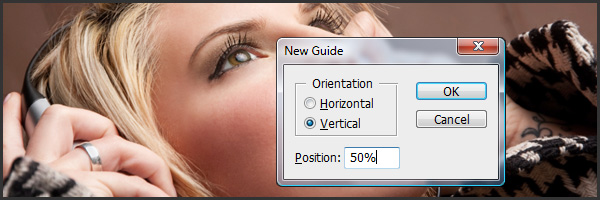
Guides can be dragged from the Rulers on the edge of your document, or you can also use the “View > New Guide…” menu option.
When using the menu option, as well as entering in the guide location using px, mm or whatever Unit measurement you’d like, you can also use percentages. This is a simple way of dividing your document up into a neat grid or for getting those guides aligned perfectly down the center.
If you have any other tips on how you use your guides in either Photoshop or any of the other Creative Suite apps, leave a comment because I’d love to hear them.
Never knew you can use percentages, that will be useful!
You’re exactly right Kate. I find that I use percentages all the time to divide my document up evenly